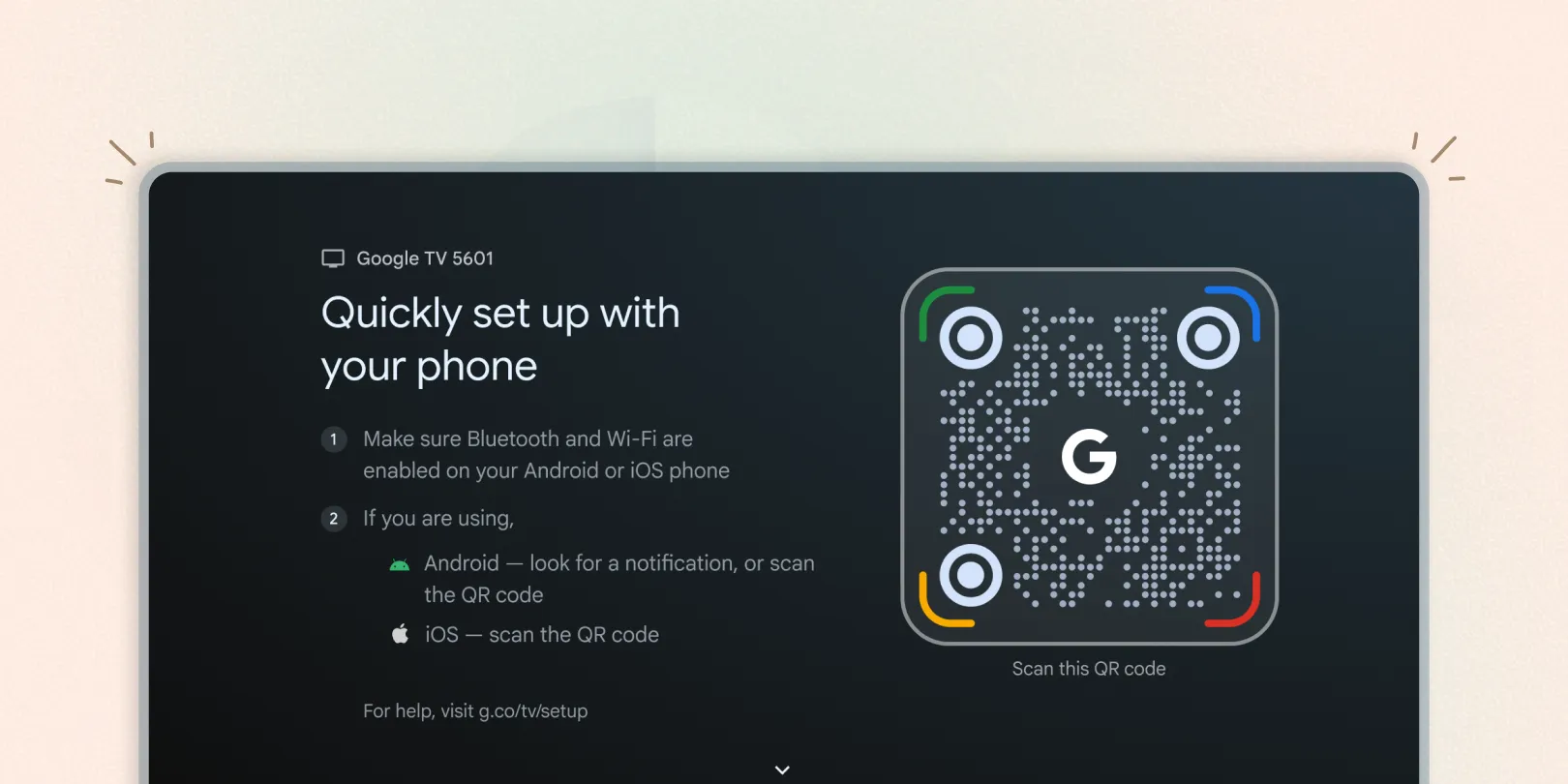
Google TV Setup
Developed novel solutions for Setup 2.0 — a large, open-ended design challenge. I coordinated 21 cross-functional teams with sometimes competing priorities to deliver clear, actionable designs that reduced the number of screens by 40%.
Problem
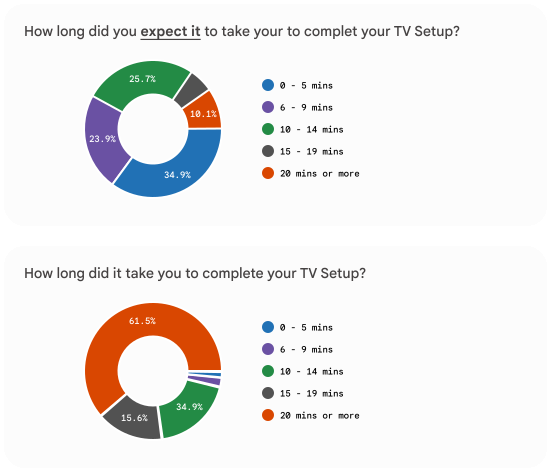
In a survey, 80% of users expected setup to take less than 15 minutes, but only 20% were able to complete it within that timeframe.
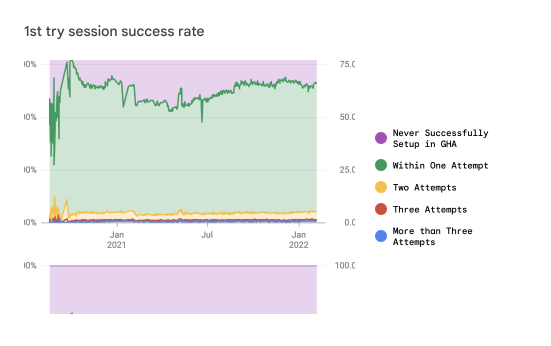
40% of users try the Google Home App (GHA); 40% of those fail on their first attempt, and 90% of those failures occur during information transfer.
Setup 1.0 Perception
Unreliable
The previous GHA setup had a high failure rate; approximately 40% of users who tried the app were unable to complete the setup process.
Users should be watching their favorite show within 5-10 minutes of powering on their new device.
Setup 2.0 Roadshow
I held 50+ meetings with stakeholders to ensure visibility and gather feedback, which was then incorporated into the latest designs. This resulted in a 41% reduction in the total number of screens.
Cross-functional TV teams
- Engineering (10x)
- Legal (8x)
- Marketing (5x)
- UXR (Research) (6x)
- UX Writing (6x)
- Partner Engineering (3x)
- Business Development (3x)
- Go-To-Market (GTM) (5x)
- Media & Entertainment (M&E)
- Global Partnerships (US, EMEA, APAC)
- gUP / Support
- Content team
Cross product areas (PAs)
- Assistant Product
- Assistant Legal
- Assistant Engineering
- Nest Product/UX (3x)
- Nest/GHA Legal
- Google Home App (GHA) Engineering
- Core Android Quick Start
- Core Android Fast Pair
- Privacy Working Group (2x)
- Safer with Google (6x)
Existing setup
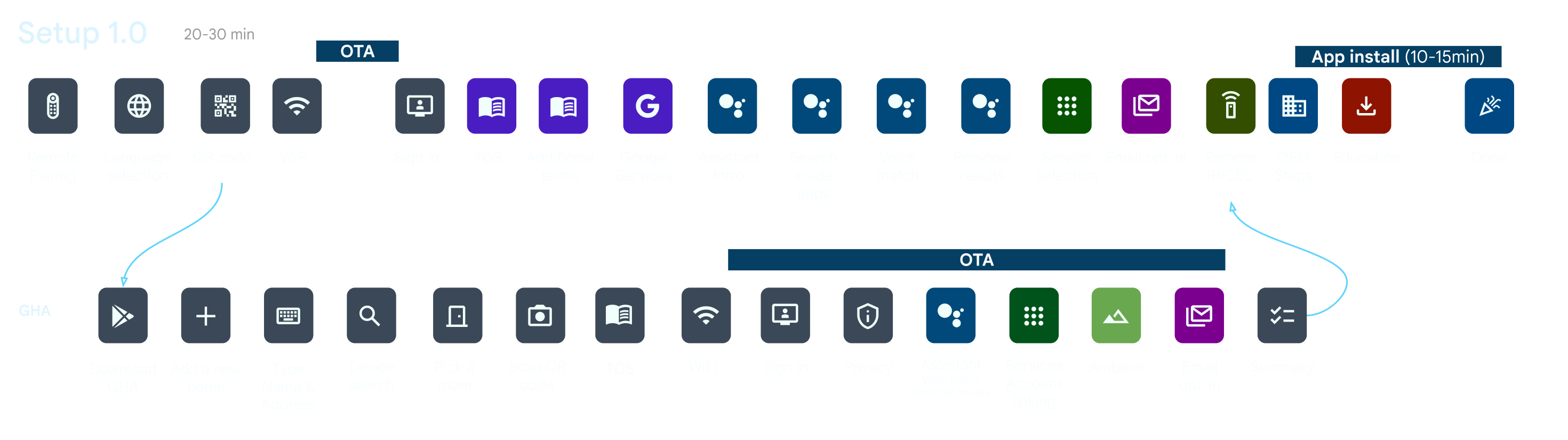
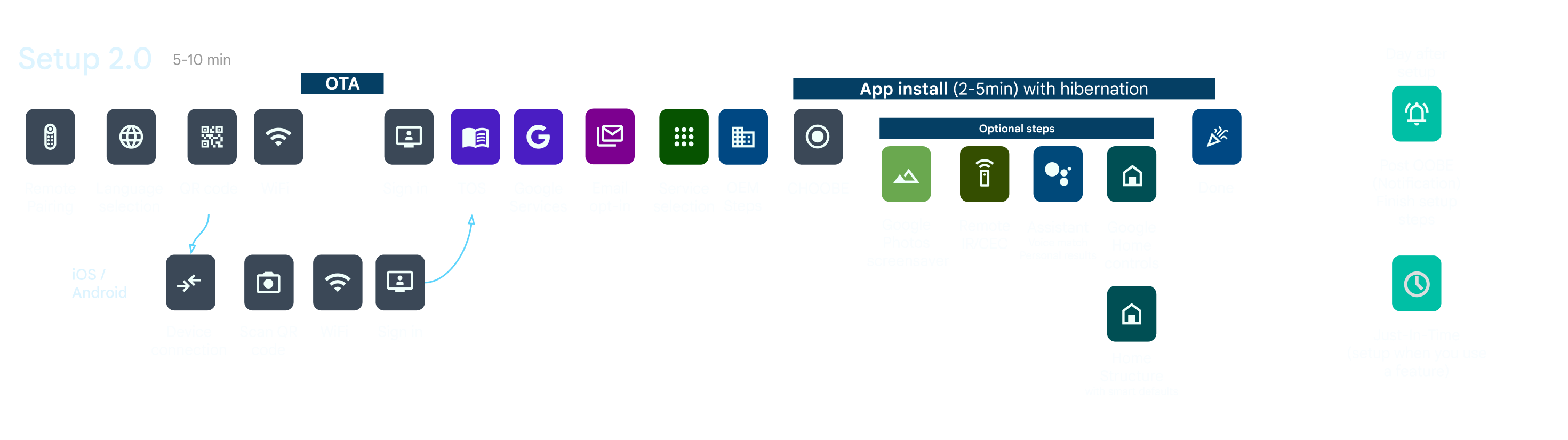
Setup prototype
Designs
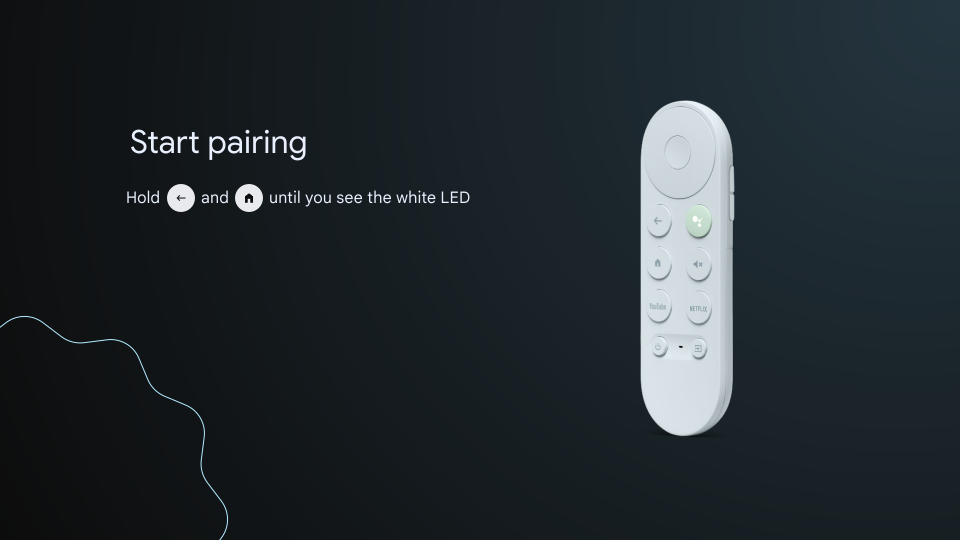
Primarily used for Chromecasts; this step is rarely needed for TV panels since those remotes usually come pre-paired.
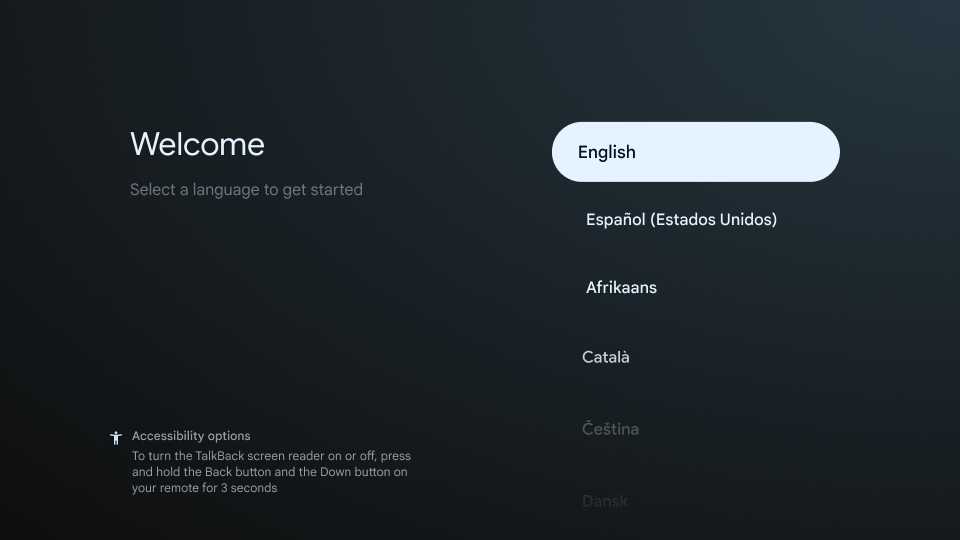
Users can select their preferred language, and the welcome text updates dynamically. We also added accessibility (a11y) setup options to ensure the process is inclusive from the start.
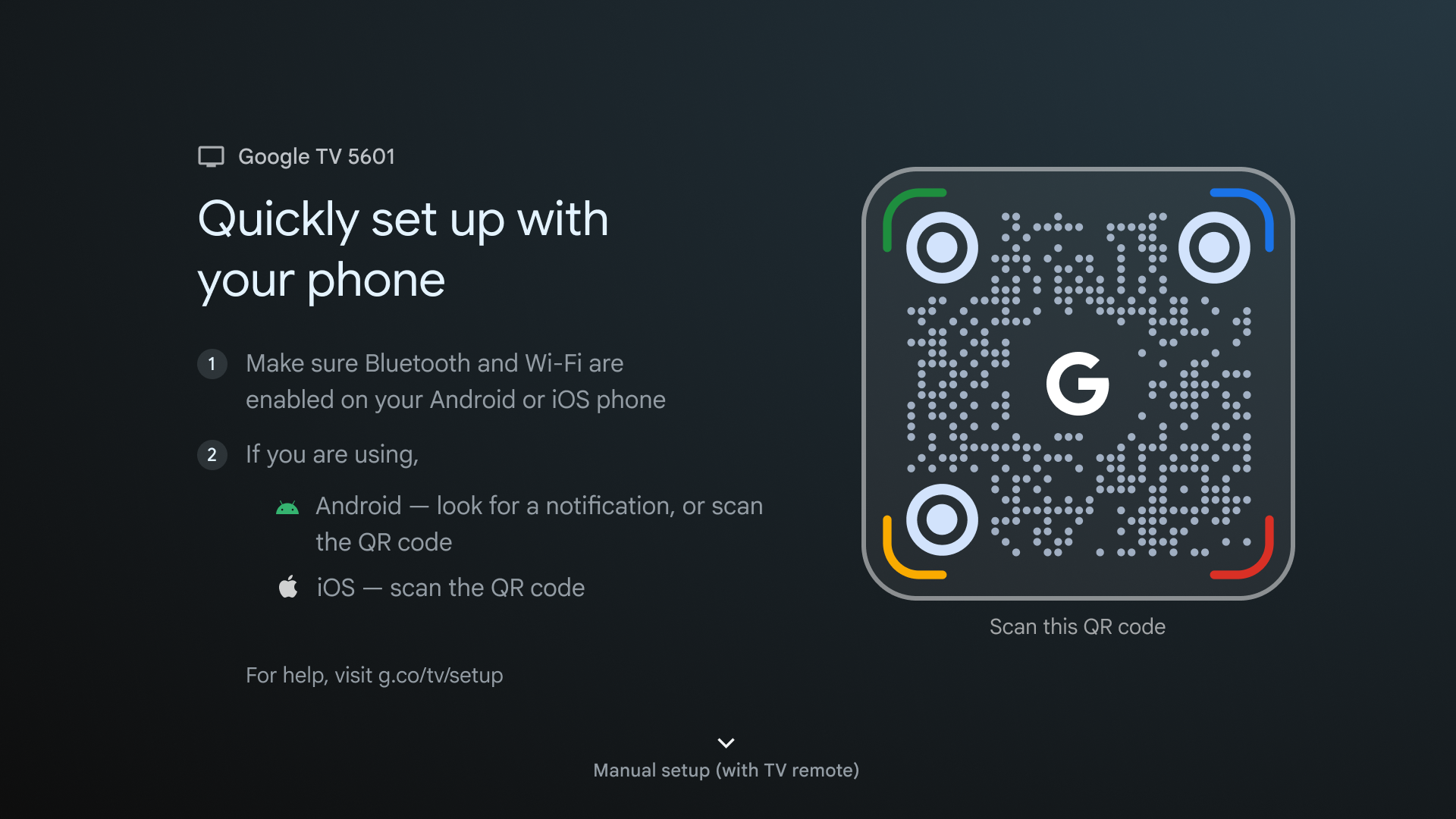
This provides a quick way for users to bridge their mobile experience with the TV setup using the Google Home App.
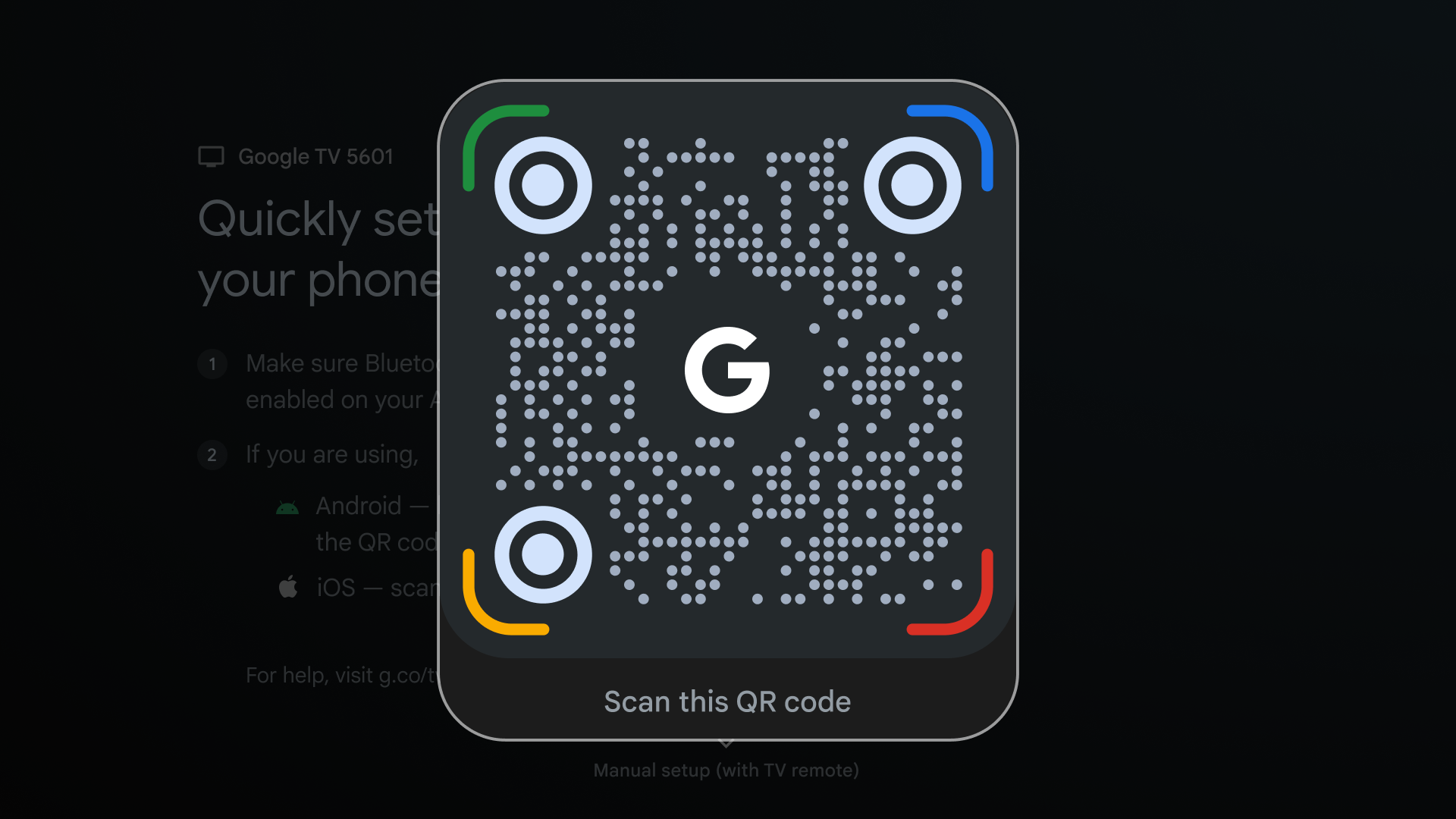
A high-contrast, full-screen QR code ensures easy scanning from a distance, accommodating different living room setups.
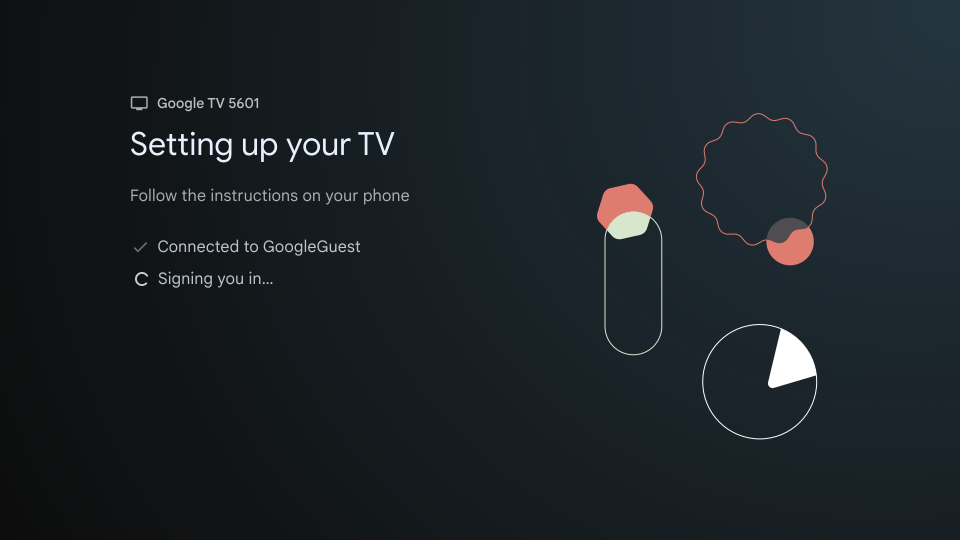
Previously, this process was split across four different screens: Connecting, Connected, Signing in, and Signed in. I consolidated these into a single screen with a scalable pattern that allows for future features like settings synchronization.
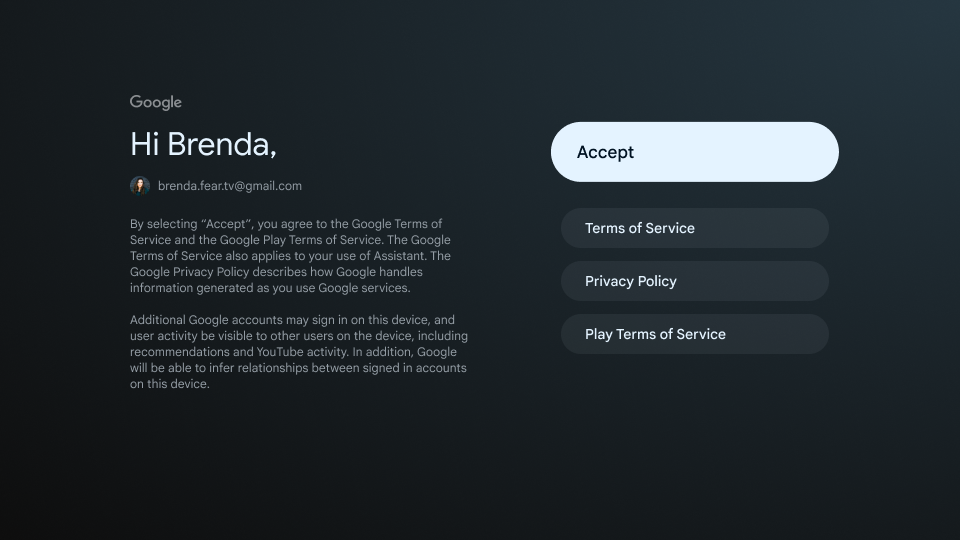
The Terms of Service (ToS) screen is a standard legal requirement. We worked closely with legal counsel to simplify the copy using more concise, readable language.

A tremendous amount of thought went into making this screen simple, transparent, and privacy-forward. Despite stringent legal requirements, we landed on a design that is much cleaner than the previous version.
I also collaborated with the "Safer with Google" team to integrate consistent branding into this screen.
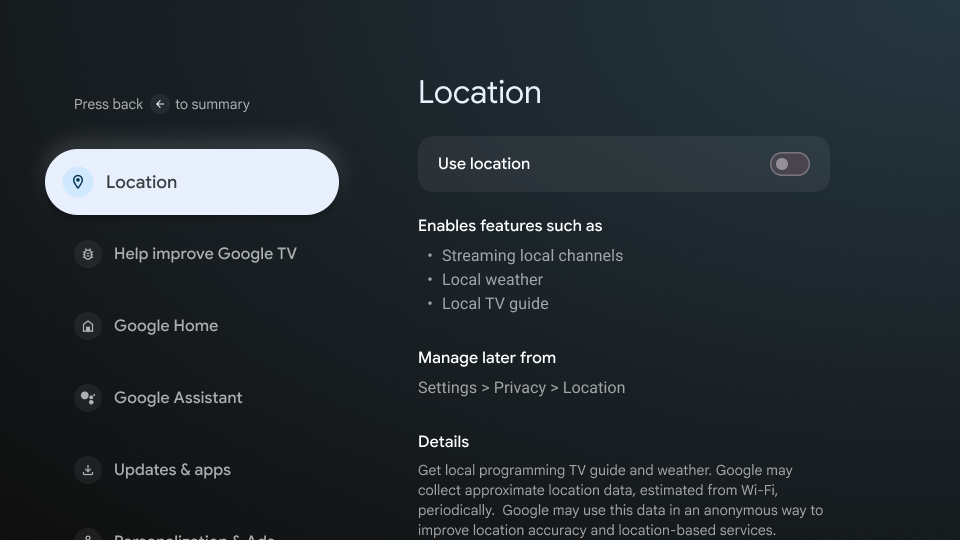
To remain transparent and helpful, I created a dedicated space for users to learn more about each Google service. This includes details on why specific permissions are required and the features they enable.
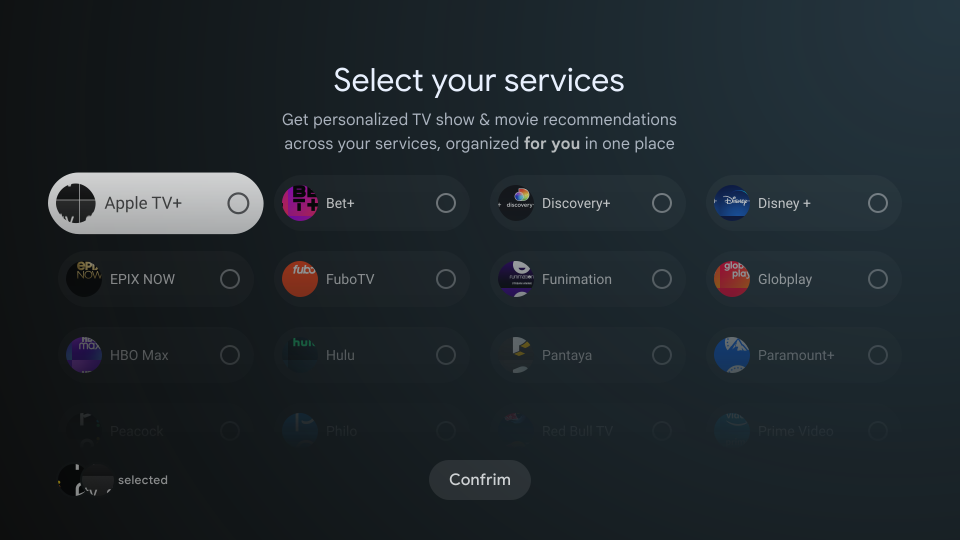
This screen allows users to select their existing subscriptions, enabling Google to provide personalized movie and show recommendations and automatically download the relevant apps.
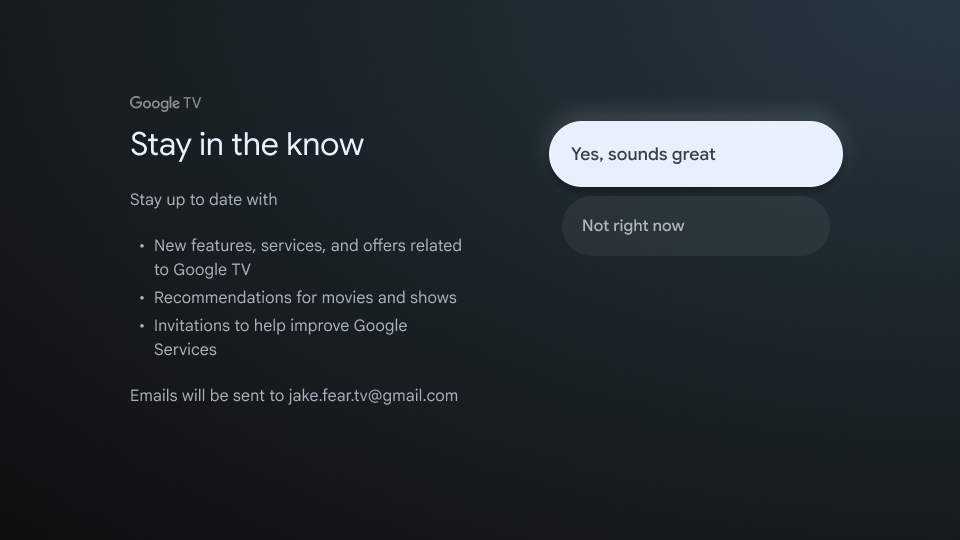
Every successful product requires a continued relationship with the customer. We added a dedicated step to opt-in for newsletters; having a clear, dedicated step significantly improves opt-in rates compared to hidden toggles.
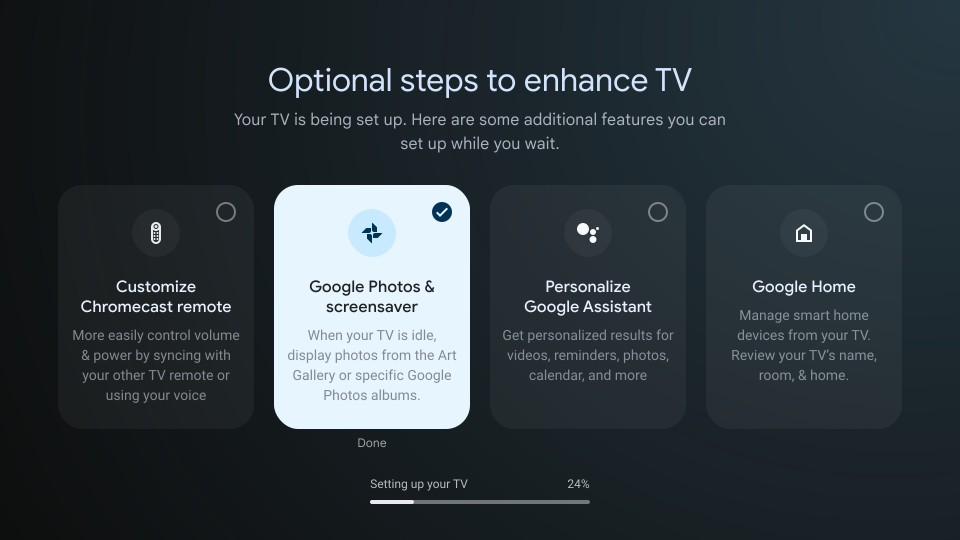
Previously, while apps were downloading, users were shown static educational content and spent at least 5-10 minutes staring at a loading screen.
I designed a solution to utilize this time via an optional steps framework called CHOOBE (Choose Your Own Out-of-the-Box Experience). While apps download in the background, users can perform tasks like setting up their remote, configuring Google Photos as a screensaver, or activating Google Assistant.
This transition screen was added to smooth the experience before the user lands on the "For You" tab.
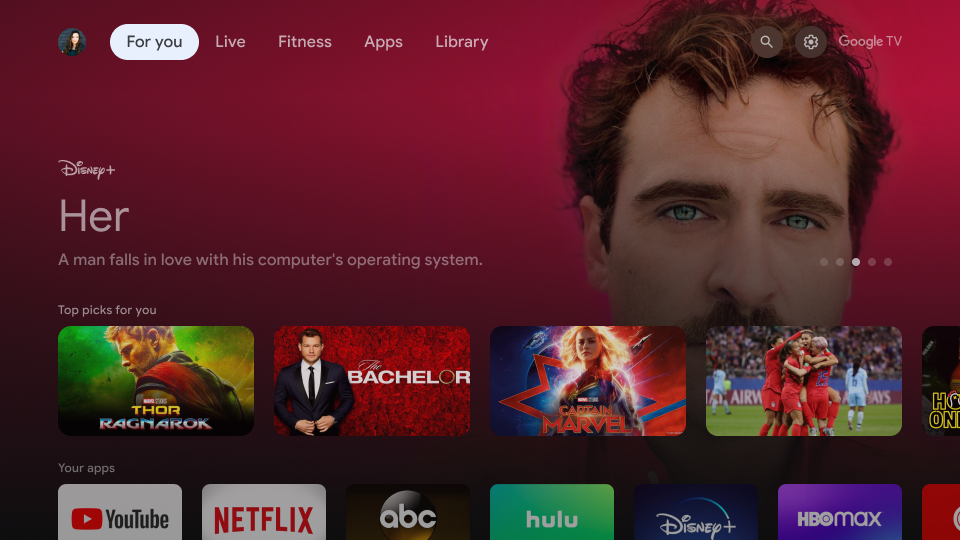
Once complete, the user arrives at the personalized home page, ready to watch.
Conclusion
Through this six-month project, we successfully reduced the number of screens by 40% and decreased setup time by approximately 50% without compromising requirements. This was achieved by introducing new technologies such as Quick Start for Android and App Clips for iOS. We also introduced App Hibernation, which further decreased the overall setup time.
This project is currently in development and will be available in Q3 2023 for OEMs to adopt.
